The Development Server Beside The Router
Why I moved my development workload from a Mac-only setup to a permanent Linux server accessed through VS Code Remote SSH and Tailscale.
My MacBook had slowly become responsible for everything.
It was the editor. It was the browser. It was Docker. It was Go compilation, npm installs, databases, language servers, AI agents, background containers, local services, file watchers, search indexes, and whatever half-forgotten process survived from yesterday’s experiment.
None of those responsibilities arrived dramatically. One day a repository needed Postgres. Another needed Redis. Another needed a local queue. A frontend needed a watcher. A backend needed Docker Compose. A Go service needed to rebuild often enough that I stopped noticing the fan curve. Then coding agents entered the loop, and the old shape of the problem became harder to ignore.
A single task could turn into repository scans, language-server calls, shell commands, Docker builds, test runs, MCP servers, package installs, Git operations, background indexing, and a small forest of processes I did not personally start.
The model call was the expensive part in the abstract. On my machine, the lived experience was usually more boring than that: git, rg, npm, go test, Docker, file traversal, caches, watchers, and process trees.
At some point I realized something that should have been obvious earlier.
The MacBook did not need to execute all of this. It only needed to display it.
That changed the shape of the problem. I did not need a more carefully tuned Mac. I needed to stop treating the Mac as the workstation.
The Server Beside the Router
I had an old Dell laptop lying around: an 11th-generation Intel machine with 32 GB of RAM and a 1 TB SSD. Not a server, not a rack machine, not a carefully selected homelab box. Just a laptop that was too useful to recycle and not useful enough to be my daily computer.
I installed Ubuntu Server on it, plugged it into Ethernet beside the router, gave it power, and stopped thinking of it as a laptop. That machine became the development server.
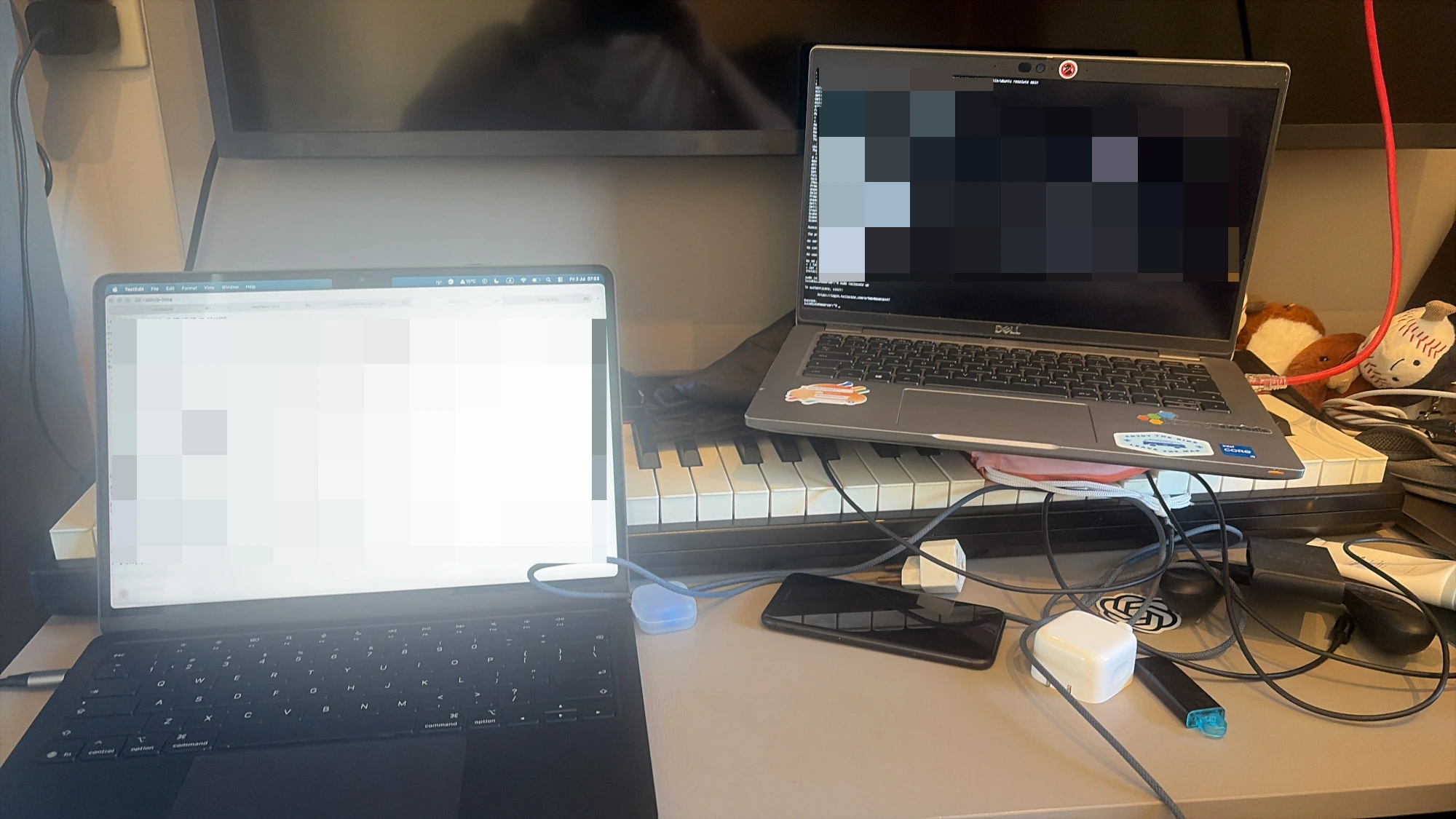
The Mac became the client. It still runs the things that are good on a Mac: the editor, the terminal, the browser, Slack, Spotify, and the small personal layer around the work. The Linux machine runs the work itself: Docker, Git, tmux, Starship, zsh, mise, Homebrew, repositories, databases, services, agents, language servers, builds, tests, and package installs.
The setup is intentionally boring: Ubuntu Server over Ethernet, SSH access through Tailscale and MagicDNS, tmux for persistent sessions, zsh and Starship for the shell, mise and Homebrew for developer tooling, Docker for services, and repositories stored directly on the Linux filesystem. Cursor, Zed, or VS Code connect from the Mac over Remote SSH. Ghostty connects over plain SSH when I want a terminal.
The editor connects to the server over Remote SSH. The terminal connects to it over SSH. Tailscale makes the same machine reachable when I am not home. MagicDNS means the command is not an IP address I have to remember.
It is just:
ssh lutehomeserverThe boring command is the feature.
All repositories live on the server now. That sentence is the important one.
This is not a setup where the server is a place I occasionally deploy something. It is not a setup where Docker runs remotely while the real checkout stays local. The source tree is on the Linux machine. The editor opens that tree remotely. The terminal opens there. The agent runs there. Docker runs there. npm writes node_modules there. Go writes its build cache there. Git status walks that filesystem there.
If the agent edits a file, the file is already on the machine that can run the test. If the language server indexes the project, it indexes the same filesystem Git sees. If Docker Compose starts services, they are next to the code that expects them.
The Mac renders the UI. The server does the work.
Linux Was the Shorter Path
Docker was the first obvious win because the architecture is not subtle.
Containers are a Linux-native abstraction. Linux namespaces isolate what processes can see, cgroups handle resource control, and OverlayFS gives Docker its usual Linux storage path. The namespaces(7) manual, Linux cgroup documentation, and Docker’s OverlayFS docs all point at the same basic fact: the container stack is built around Linux primitives.
Docker on macOS has to bridge that gap. Docker’s own Mac FAQ describes HyperKit as a hypervisor built on macOS’s Hypervisor.framework, and says Docker Desktop stores Linux containers and images in a disk image in the Mac filesystem.
That does not mean Docker Desktop is bad. It is an impressive piece of engineering. It also does not mean every Docker workload becomes faster on an old Intel laptop than on a modern Mac.
The narrower point is enough: if the workload is Linux containers, Linux is the shorter path.
The same pattern showed up elsewhere. JavaScript projects are filesystem-shaped. npm installs unpack a lot of small files into node_modules, create symlinks, and write local executables into ./node_modules/.bin, as npm’s folder documentation describes. Then dev servers add watchers, and Node’s fs.watch() docs are a useful reminder that watching is platform-specific: Linux uses inotify; macOS uses kqueue and FSEvents.
Git has the same boring shape. It asks the filesystem a lot of cheap questions: did this file change, what does the index say, which directories exist, what needs to be packed? The git update-index docs explicitly call out how much Git relies on efficient lstat(2) checks, and features like split index, untracked cache, and fsmonitor exist because large working trees turn metadata checks into real work. Git’s core.ignoreCase docs are also a reminder that macOS’s common case-insensitive setup has edges Linux usually avoids.
Go was less central. Go already compiles quickly, and in raw benchmarks a modern Apple Silicon Mac can beat an old Intel laptop. But that missed the point: when go test ./... runs on the server, the MacBook does not become part of the workload. The editor stays responsive. The browser stays responsive. The machine on my lap stays cool.
The win was not that every command became faster. The win was that the load landed somewhere else.
Agents Are Build Servers Now
The strongest reason for the move was not Docker, Node, Git, or Go in isolation. It was agents.
Modern coding agents increasingly behave like small build servers attached to a conversation. Claude Code reads code, edits files, runs commands, and integrates with development tools. The Codex CLI README describes a local coding agent that runs in your terminal. OpenCode has terminal, desktop, and IDE surfaces with tools, LSP servers, MCP servers, custom tools, and plugins.
That workload is not only inference. The useful part of an agent is often everything around the model: reading files, searching with ripgrep, running tests, invoking compilers, managing Git state, starting services, checking diagnostics, talking to MCP servers, and keeping enough context about the repository to make a coherent next move.
That workload is noisy. A human may run npm install, wait, and move on. An agent may inspect a package, install dependencies, run tests, trigger a build, search the tree, edit files, rerun the same checks, start a service, read logs, and then do it again because the first attempt failed. It does not get tired of asking the filesystem questions, and it does not feel the cost of asking.
It may leave behind shells, test runners, language servers, watchers, MCP servers, local services, background indexes, and editor-managed helper processes. Some are direct children of the agent session. Some are children of shells. Some are managed by the editor. Some are long-lived dev services. Some are just tools that did not exit when I thought they would.
On macOS, that whole process world lives next to WindowServer, browsers, Slack, media, battery management, video calls, notifications, and everything else that makes the machine pleasant to use. That is the overhead I wanted to move away.
Not because macOS cannot run processes. Of course it can. The problem is that my MacBook had become both the interactive personal computer and the noisy agent execution environment. Those are different jobs with different failure modes.
A personal machine should feel quiet, responsive, and disposable in the moment. I should be able to close it, move rooms, join a call, open a browser, and not care that some agent decided to run tests three times and start a dev server along the way.
An agent machine can be messier. It can have process trees. It can have tmux panes full of logs. It can have Docker containers running all day. It can have a language server chewing on a repository. It can have an agent exploring a branch, running commands, and making mistakes. It can be inspected, killed, restarted, or rebooted without turning the MacBook itself into the recovery project.
That distinction became the whole point. The Mac should not be the place where agent noise accumulates. It should be the window into the place where agent noise is allowed to happen.
Tailscale Made It Feel Normal
The surprising part is that the remote machine does not feel remote most of the time. Tailscale is the reason.
I did not want to open ports on my router. I did not want to maintain a traditional VPN. I did not want to remember whether I was on the home network, the office network, or a coffee shop network before deciding how to connect to my own development machine.
Tailscale gives each device a stable private network identity, and MagicDNS makes names work. The MagicDNS docs put it plainly: it automatically registers DNS names for devices in the network, and once enabled you can SSH, ping, or open a device by its machine name.
That small thing changed the whole setup. ssh lutehomeserver works at home, ssh lutehomeserver works away from home, and the editor and terminal work against the same host. The development machine is always the same machine.
That consistency is underrated. I am not cloning the same repository onto three computers. I am not wondering which laptop has the right branch, which machine has the database volume, or which environment variable exists only on the computer I used last week. There is one development environment.
tmux Became the Default Runtime
Once the development environment is remote, tmux stops being a terminal preference and becomes part of the operating model.
The tmux manual describes the core property I care about: sessions can be detached and continue running in the background, then reattached later.
That maps perfectly onto modern development work. A migration can keep running. A Docker Compose stack can stay visible. A long test run can finish while my MacBook sleeps. An agent can continue through a task without depending on the Wi-Fi staying perfect. A server log can remain in the same pane all week.
Before, I would hesitate to kick off a long-running thing if I knew I had to close the laptop soon. Now the MacBook is not the session boundary. It is only a client attached to the session.
The Unexpected Benefit Was Silence
The technical benefits are real, but the thing I noticed first was physical: my MacBook became quiet again.
Docker no longer spun the fans. Compiles no longer stole memory from the browser. Containers no longer ate battery. npm installs no longer made the whole machine feel temporarily heavier. Agent experiments no longer shared the same thermal envelope as a video call. The Mac became good at being a Mac again.
That sounds soft, but it is probably the part that will keep me from going back.
A MacBook is a strange place to put an always-on development stack. It moves. It sleeps. It changes networks. It runs on battery. It has a small thermal budget. It is also the machine where I read, write, talk, listen, browse, and carry the day around.
For years I had treated that as normal because the laptop was powerful enough.
Powerful enough is not the same as responsible for the right things.
The Cost Was Almost Embarrassingly Low
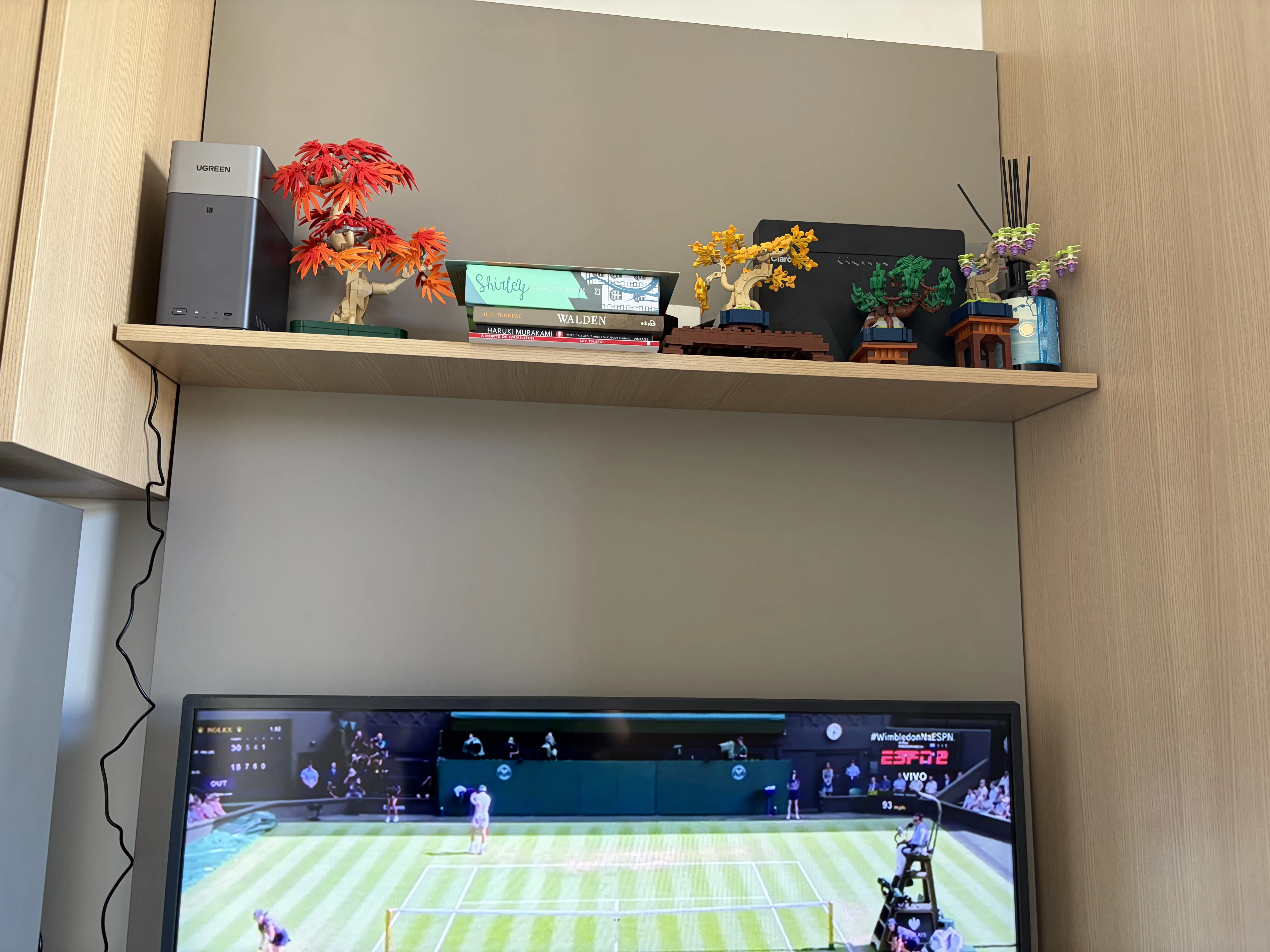
I did not buy a mini PC, rent a cloud workstation, or build a homelab. The server is an old Dell laptop with 32 GB of RAM and a 1 TB SSD. I bought a second charger and a vertical laptop stand. That was basically it.
That matters because the obvious version of this idea can get expensive quickly. It is easy to turn “move development off the laptop” into a shopping exercise: new mini PC, more RAM, bigger SSD, UPS, rack, NAS, cloud instance, remote desktop product, backup strategy, monitoring, the whole little infrastructure fantasy.
I may get there eventually. I did not need that to prove the model. An unused laptop was enough.
That is probably the most useful version of the idea. Not the perfect homelab. Not the ideal workstation. Not a content-creator desk setup with a rack in the background.
Just a spare machine, an Ethernet cable, Ubuntu Server, SSH, Tailscale, and the decision that development work does not have to happen on the same computer that displays the editor.
The Tradeoff
This setup is not free. There is another machine to update. There is another disk to back up. There are SSH keys to manage. There are sleep settings to fix. There is power to think about. There is a remote connection in the loop. If the home internet is down, remote access is down. If the server is off, the development environment is gone.
Some UI-heavy workflows still belong locally. Some people will prefer a cloud development environment because it is easier to replace, easier to scale, or closer to their team. Some people will prefer a powerful laptop because one machine is simpler. That is fair. I am not trying to turn this into doctrine.
Linux is not always faster. A small Intel laptop is not secretly better hardware than a modern Mac. Docker Desktop is not a mistake. Local development on macOS is not wrong.
The useful claim is narrower: Linux is the native environment for a lot of the tools I use every day, and agent-heavy development changes the shape of the local workload. The problem is no longer only “can my laptop run this command?” Of course it can.
The better question is: should this entire process tree live on the same machine I use as my quiet, mobile, personal interface to the work?
For me, the answer is probably no. The MacBook can stay a laptop.
I had been asking how to make my Mac better at being a workstation. The better question was whether it needed to be the workstation at all.
My MacBook stopped being my workstation.
It became my window into one.